
What an NVR or DVR Does in a CCTV System
A DVR or NVR records, stores, plays back and shares your camera footage. How the job works, how long a drive lasts and what to check when buying.
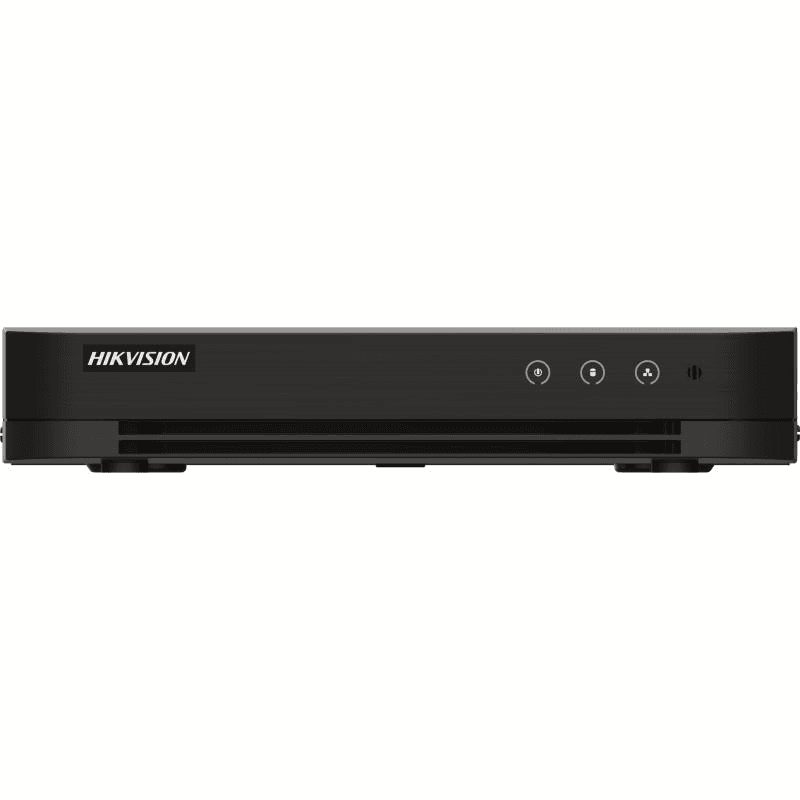
A DVR (digital video recorder) and an NVR (network video recorder) are the box in a CCTV system that records what the cameras see, stores it on a hard drive and plays it back on request. A DVR is the recorder for coax (BNC) cameras, and an NVR is the recorder for network (IP) cameras. The recorder's job is the same either way, and this guide explains that job. If you are deciding which type you need, read DVR or NVR: which recorder do you need instead.
What a recorder does
Without a recorder, a camera shows a live picture and keeps nothing. The recorder adds four things:
- Recording: it takes the picture from every connected camera and compresses it, usually as H.265 or H.264 video, so that it fits on a drive.
- Storage: it writes the footage to one or more internal hard drives and, when they fill up, overwrites the oldest footage.
- Playback: it lets you pick a camera, a day and a time and watch the footage back, usually on a monitor plugged into the recorder.
- Remote viewing: when connected to your router, it can send live and recorded video to an app or web page on a phone or computer.
What it records from
A DVR has one BNC socket for each coax camera, so a four-channel DVR takes four cameras. Many current DVRs accept more than one coax standard (HD-TVI, AHD, CVI and plain analogue), and some also take a few IP cameras. One example is Hikvision's 8-channel Turbo HD DVR DS-7208HGHI-M1, which takes several coax camera types and IP cameras on the same box.
An NVR has network ports instead. Each IP camera connects over Ethernet, either to a PoE port on the recorder itself or to a PoE switch. IP cameras and recorders from different makers can often work together when both support the ONVIF standard, but check the recorder's compatibility list before relying on that.
Where the video is stored, and for how long
Video goes on a hard drive inside the recorder. The recorder usually has one to four bays, depending on the model. Surveillance-rated drives are built to write all day, every day.
How long the footage lasts depends on three things: how many cameras you have, how much data each camera produces, and how big the drive is. As an example, take four cameras that each stream at 4 Mbps, recording continuously. Each camera writes about 1.8 GB an hour, so the four together write about 173 GB a day, and a 4 TB drive holds roughly 23 days of footage before the oldest is overwritten. Recording only when motion is detected makes it last longer; a higher resolution or frame rate makes it shorter. These figures are an illustration, not a promise for any particular model. Our CCTV storage calculator works it out for your own setup.
The drive is the part of the system that wears out first, because it is always writing. Check the recorder's storage menu from time to time: it shows whether the drive is detected, healthy and recording. If you do not check, a failed drive can leave a recorder running and showing live pictures while saving nothing.
Playback and remote viewing
For playback, the recorder shows a timeline for each camera. You choose a date, drag to the time you want and the footage plays. Most recorders can also search by motion.
For remote viewing, the recorder has to be connected to your router with a network cable. The maker's phone app then connects to it, often by scanning a QR code on the recorder's screen, and shows the live cameras or recorded clips wherever you are. Set a strong, unique password on the recorder first.
What to look at when you buy
- Channels: the number of cameras it can record. Match it to the cameras you have now and leave a spare channel or two if you may add more.
- PoE: an NVR with built-in PoE ports powers IP cameras through the same cable and needs no separate switch. Check that the number of PoE ports covers your cameras.
- Resolution: pick a recorder rated for at least the resolution of your cameras, or you will not get their full picture.
- Hard drive bays: more bays mean more storage. Check whether the recorder comes with a drive or needs one fitted.
When you are ready, browse the NVR recorders for IP cameras or the DVR recorders for coax cameras.
Questions people ask
Does a recorder need the internet?
No. It records and plays back with no internet connection. You only need one to view it from outside the building.
What happens when the drive is full?
By default, the recorder overwrites the oldest footage and keeps recording. To keep a particular clip, export it before it is overwritten.
Can I use a recorder without a monitor?
Yes, once it is set up, because the app can show the pictures. You will need a monitor or TV for the first set-up, unless you configure it from a computer on the same network.
The CCTV Traders team