
DVR or NVR: Which Recorder Do You Need?
A DVR takes coax cameras and an NVR takes IP cameras. How to tell which you have, what PoE changes, and when a hybrid recorder helps.
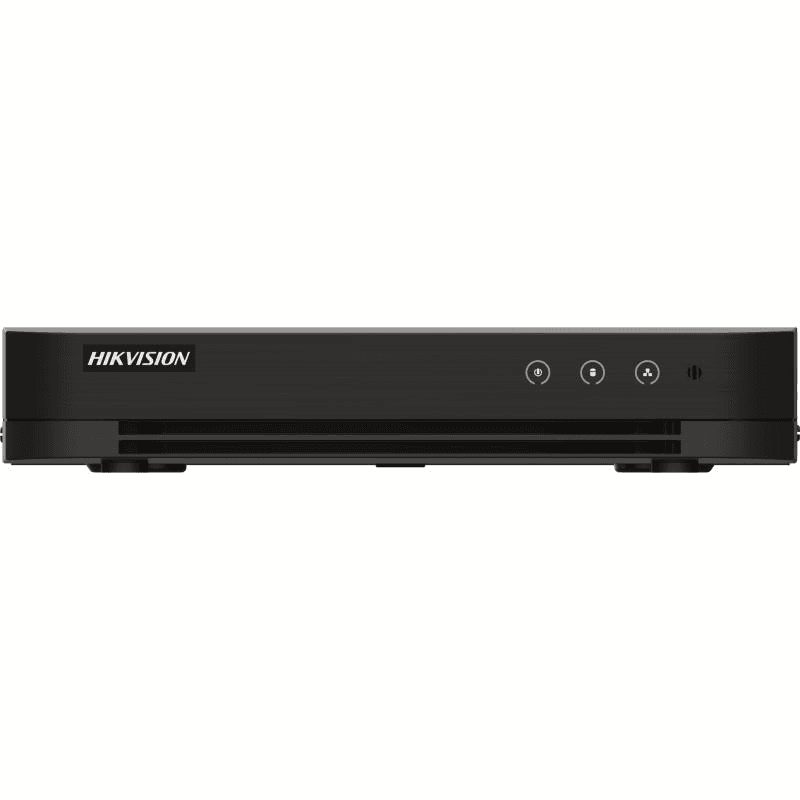
Choose a DVR if your cameras connect with coaxial cable, and an NVR if they are IP cameras connected over Ethernet. A DVR digitises the picture from analogue-style cameras (HD-TVI, AHD, CVI or plain analogue) itself. An NVR only receives video that the IP cameras have already encoded, so it needs a network cable to each one.
How to tell which cameras you have
Follow the cable from a camera back to the recorder. A thin coaxial cable with a BNC plug on the end, often paired with a separate power lead, means a coax camera and a DVR. A network cable with an RJ45 plug, like the one on a router, means an IP camera and an NVR. Many IP cameras carry their power on that same cable, which is called PoE (power over Ethernet).
The label on the camera or its box helps too. Names such as HD-TVI, AHD, CVI or "Turbo HD" point to a DVR. A model that mentions IP, PoE or ONVIF points to an NVR.
What each recorder does differently
With a DVR, the camera sends a raw video signal along the coax and the recorder compresses and stores it. Each camera has its own socket on the back, so a four-channel DVR takes four cameras. Existing coax cabling can usually stay in place, which is why a DVR is the usual answer when an old recorder fails and the cameras are fine. Our guide to replacing a Hikvision DVR by channel count explains how to match the new one.
With an NVR, each camera compresses its own video and sends it over the network. Many NVRs have built-in PoE ports, such as the 8-channel Hikvision DS-7608NI-M2/8P, which has eight PoE ports for IP cameras, so one cable per camera carries both power and picture. Hikvision lists that model with IP camera inputs up to 8 channels and up to 128 Mbps of incoming bandwidth. Without PoE ports on the recorder, you need a separate PoE switch.
Resolution and cable runs
Resolution depends on the model, not the type. Both kinds of recorder come in 1080p, 5MP and 8MP versions, so check the figure on the recorder against the cameras you plan to use. A recorder records at the lower of the two limits.
Cable length is worth checking too. The Hikvision DS-7208HGHI-M1 is listed with a maximum of 1200 m for a 720p HD-TVI signal over coax.
What changes if you switch type
Moving from a DVR to an NVR means new IP cameras and new network cabling, because coax cameras cannot plug into an NVR. Moving the other way means coax cameras. If you keep the cameras you have, keep the same type of recorder. Swapping only the recorder is simple when the type stays the same and the channel count and resolution are equal or higher.
Mixing coax and IP cameras
Some recorders accept both. Hikvision describes the DS-7208HGHI-M1 as a Turbo HD DVR with HDTVI, AHD, CVI, CVBS and IP inputs. It has 8 analogue channels and takes up to 10 IP camera channels (up to 5 MP) in hybrid mode. Dahua's penta-brid recorders, such as the XVR5104HS-I3, list HDCVI, AHD, TVI, CVBS and IP camera support. These hybrid recorders suit a system that is growing from coax to IP one camera at a time. Check the datasheet for the IP channel limit before you buy.
Quick comparison
| DVR | NVR | |
|---|---|---|
| Cameras | HD-TVI, AHD, CVI, analogue | IP cameras |
| Cable | Coax with BNC, plus power | Ethernet (RJ45), often PoE |
| Power to cameras | Separate power supply, unless the DVR supports PoC | PoE ports on the recorder or a PoE switch |
| Reuse old cabling | Yes, coax stays | Only if it is already network cable |
| Typical reason to choose | Replacing a failed recorder with cameras still working | New or upgraded IP camera system |
Next step
Once you know the type, pick the channel count that matches your cameras, with a spare channel or two if you plan to add more. Browse the DVR recorders or the NVR recorders, or see the DVR collection and NVR collection. For storage sizing, use our CCTV storage calculator.
The CCTV Traders team