
Hikvision NVR: 4, 8 or 16 Channels, Which Do You Need?
How many channels a Hikvision NVR needs: count your IP cameras, allow for extras and check PoE ports, bandwidth and storage.
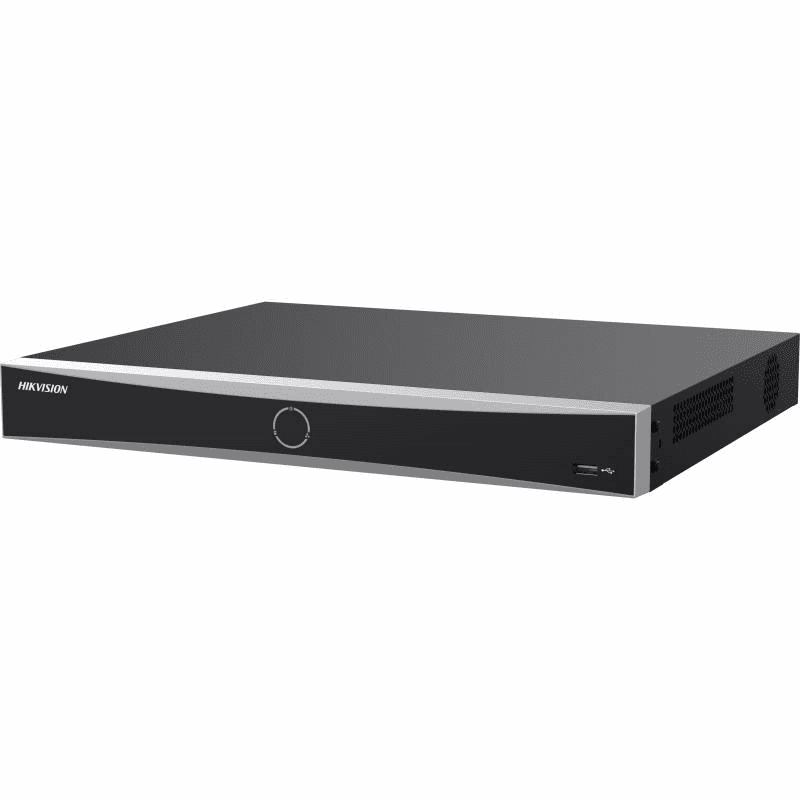
The number of channels on an NVR is the number of IP cameras it can record. A 4-channel recorder takes four cameras, an 8-channel one takes eight and a 16-channel one takes sixteen. Count the cameras you have, add any you expect to fit later, and choose the next size up. If you have five cameras, you need an 8-channel Hikvision NVR.
Count today's cameras and the ones you will add
Walk round the building and mark every spot that needs a camera: doors, driveway, gates, side passages, outbuildings. That number is your starting count. Then add the cameras you might plausibly want within a few years. A recorder cannot gain channels later, so a full 4-channel NVR means replacing it the day you want a fifth camera, while an 8-channel one simply has spare inputs.
Do not oversize by a long way, though. A 16-channel recorder for five cameras leaves most of its inputs unused. The next size up is usually the right call.
Channels and PoE ports are not always the same number
Each channel is a logical input, and each PoE port is a physical socket that powers a camera and carries its picture over one network cable. On the Hikvision recorders listed below the two numbers match, so a recorder with 8 channels also has 8 PoE ports. If you choose a recorder without PoE ports instead, the cameras need a separate PoE switch or their own power supplies, and the channel count only limits how many of them can be recorded.
IP cameras only: an NVR does not take coaxial (BNC) cameras. If your cameras use coax, you need a DVR instead, which is covered in our guide on choosing between a DVR and an NVR.
Resolution and bandwidth are shared across channels
Having 16 channels does not mean every channel can run at full resolution at once. Each recorder has a limit on the total video it can take in, listed by Hikvision as incoming bandwidth, and a separate limit on how many streams it can decode for live viewing and playback.
The 8-channel Hikvision DS-7608NXI-K1/8P, for example, is listed with up to 80 Mbps of incoming bandwidth and the 16-channel DS-7616NXI-K2/16P(E) with up to 160 Mbps. If you plan to use high-resolution cameras on most channels, check the bandwidth figure as well as the channel count, and read the decoding capacity on the manufacturer's datasheet, which varies with whether the recorder's AI functions are switched on. The datasheets for the DS-7608NXI-K1/8P and the DS-7616NXI-K2/16P(E) are on Hikvision's site.
Hard drive bays and storage
More cameras write more video, so storage matters as much as channels. The 4-channel and 8-channel K Series models below have one SATA bay each, listed for drives up to 10 TB. The 16-channel DS-7616NXI-K2/16P(E) has two SATA bays, listed for up to 16 TB per drive. How long the recordings last depends on your cameras' resolution and compression, and whether they record continuously or on motion. Our CCTV storage calculator gives an estimate for your set-up.
Hikvision NVR models by channel count
| Model | Channels | PoE ports | Incoming bandwidth | SATA bays |
|---|---|---|---|---|
| DS-7604NXI-K1/4P | 4 | 4 | Not listed | 1 (up to 10 TB) |
| DS-7608NXI-K1/8P | 8 | 8 | 80 Mbps | 1 (up to 10 TB) |
| DS-7608NI-M2/8P | 8 | 8 | 128 Mbps | 2 (up to 16 TB each) |
| DS-7616NXI-K2/16P(E) | 16 | 16 | 160 Mbps | 2 (up to 16 TB each) |
| DS-7616NI-M2/16P | 16 | 16 | 256 Mbps | 2 |
The figures come from the product data on each page. The K Series models add AcuSense human and vehicle detection; the M2 models are listed with higher bandwidth.
Which size to pick
- Up to 4 cameras: a 4-channel NVR suits a small house or shop with no plans to grow. See the 4-channel NVRs.
- 5 to 8 cameras: the usual choice for a larger home or small premises, and the sensible step up from four. See the 8-channel NVRs.
- 9 to 16 cameras: for bigger properties or a system that will keep growing. See the 16-channel NVRs.
For every size, the full range is on the NVR recorders page. If you are replacing a recorder that has failed, match the channel count of the old one or go up a size, and check that the new one supports your cameras' resolution.