
Hikvision DVR 32 channel: how to match a replacement
Which 32 channel Hikvision DVR replaces yours, what to match on the old recorder and when you need an NVR instead.
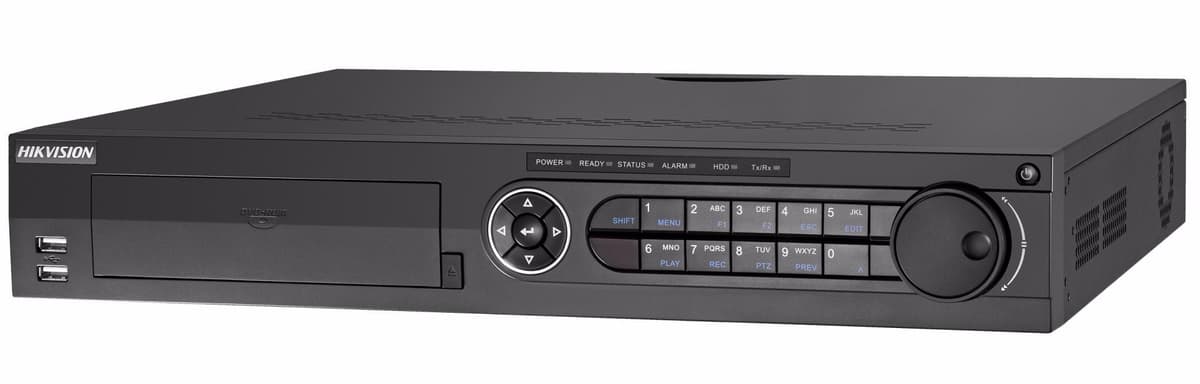
To replace a 32 channel Hikvision DVR, buy a recorder with at least 32 channels that takes the same camera types, and check its recording resolution and hard drive bays against what you have now. We list three Hikvision 32 channel DVRs: the iDS-7332HUHI-M4/S, the DS-7332HQHI-K4 and the iDS-7232HQHI-M2/XT. All three take HDTVI, AHD, CVI, CVBS and IP inputs, so coax cameras you already have can move across.
The three 32 channel Hikvision DVRs side by side
| Model | Recording resolution | Hard drive bays | Size | AcuSense |
|---|---|---|---|---|
| iDS-7332HUHI-M4/S | Up to 8MP at 8 fps, 5MP at 12 fps | Four SATA, up to 12TB per drive | 1.5U | Yes |
| DS-7332HQHI-K4 | Up to 1080p at 15 fps | Four SATA, up to 10TB per drive | 1.5U | No |
| iDS-7232HQHI-M2/XT | Up to 5MP Lite (3K) at 12 fps | Two SATA, up to 12TB per drive | 1U | Yes |
Resolution figures are the recorder's encoding ability from the product data. A camera records at the highest resolution that both it and the recorder support. The two AcuSense models add human and vehicle classification; the M2/XT also supports facial recognition on up to four channels.
What to match on your old recorder
- Channel count: 32 is the minimum. Count the camera cables going into the back of the old unit, not only the ones that work today.
- Camera type: if your cameras are HDTVI, AHD, CVI or plain analogue (CVBS) they connect to the BNC inputs. All three models also accept IP cameras.
- Resolution: the number is usually printed on the camera body or box. The iDS-7232HQHI-M2/XT records up to 5MP Lite (3K), and the iDS-7332HUHI-M4/S records up to 8MP at 8fps or 5MP at 12fps. The DS-7332HQHI-K4 records up to 1080p, so choose it for 1080p cameras. For 8MP cameras, the iDS-7332HUHI-M4/S is the one that records at 8MP.
- Rack size: two of the three are 1.5U and the iDS-7232HQHI-M2/XT is 1U. If the old recorder sits in a rack or cabinet, measure the space before ordering.
- Hard drive bays: the K4 and M4/S have four bays, the M2/XT has two. A system that used more drives than the new recorder has bays needs larger drives.
What to do with the old hard drives
Keep the old drives until you have saved any footage you still need, because a new recorder is set up on its own and you should not assume it will show the old recordings. Fit SATA drives in the new recorder, or reuse an old drive if its size is within the limit in the table: 10TB per drive on the DS-7332HQHI-K4 and 12TB per drive on the other two. Fill the bays you have for more storage.
What stays the same and what changes
- Cabling: reconnect each camera to the matching numbered BNC input, in the same order as before.
- Remote viewing: the iDS-7232HQHI-M2/XT product data names Hik-Connect, so add the recorder to the app again and check each camera appears. For the other two, check the app works for your setup.
- Room to grow: the DS-7332HQHI-K4 takes up to 48 network cameras, the iDS-7232HQHI-M2/XT up to 40 and the iDS-7332HUHI-M4/S up to 64.
When you need an NVR instead
If your cameras are IP cameras on network cables, not coax, the recorder you want is an NVR. We list a 32 channel 1.5U NVR with 24 PoE ports that takes up to 32 IP cameras. It does not take coax cameras. If you are unsure which you have, read our guide to Hikvision NVR channels.
Smaller recorders
If your old recorder was a 4, 8 or 16 channel, see our guide to Hikvision DVR channel replacements. Browse every recorder in the 32 channel DVR range or the full DVR collection. Live price and delivery are on each product page.
Source: Hikvision. Specifications above are from the product data on this site.