
DS-7208HGHI-F1 replacement: Hikvision 1080p Turbo HD DVRs
Which Hikvision DVRs replace the DS-7208HGHI-F1, DS-7204HGHI-F1 and DS-7108HGHI-F1, and what to check first.
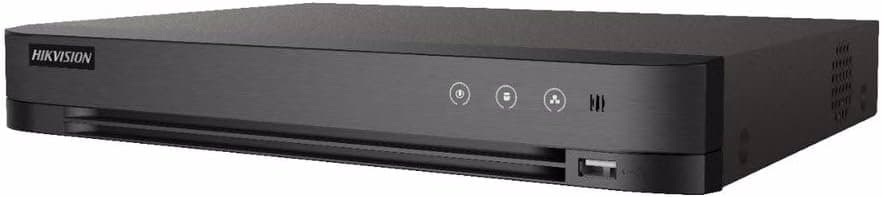
The Hikvision DS-7208HGHI-F1, DS-7204HGHI-F1 and DS-7108HGHI-F1 are older 1080p Turbo HD DVRs. From our range, the Hikvision DS-7208HGHI-M1 replaces an 8-channel unit, and the DS-7204HGHI-M1 replaces the 4-channel one. Match the channel count first, then check your cameras and your hard drive.
Which replacement suits which recorder
The channel count is in the model number: 04 means four cameras and 08 means eight. We have left out specifications of the old units that we cannot confirm from the manufacturer, so use the label on your recorder and your camera count as the starting point.
Hikvision DS-7208HGHI-M1: for the DS-7208HGHI-F1 and DS-7108HGHI-F1
An 8-channel Turbo HD DVR that takes HDTVI, AHD, CVI, CVBS and IP inputs, with up to 10 IP cameras of up to 5MP added in hybrid mode. It encodes up to 1080p Lite at 15 frames per second, uses H.265 Pro+ compression and has one SATA bay for a drive up to 4TB. HDMI and VGA outputs show the picture on your existing monitor.
Hikvision DS-7204HGHI-M1: for the DS-7204HGHI-F1
A 4-channel Turbo HD DVR with the same input types. It encodes up to 1080p Lite at 30 frames per second, adds up to 5 IP channels of up to 2MP, and has one SATA bay for a drive up to 4TB. Choose it for a four-camera system.
Hikvision DS-7216HGHI-M1: if you want to add cameras
If your eight channels are full and you plan to grow, this 16-channel model takes the same input types, up to 18 IP cameras of up to 5MP, and a drive up to 10TB. It encodes up to 1080p Lite at 15 frames per second.
Moving to higher-resolution cameras
Your 1080p cameras keep working at 1080p on the models above. To record 5MP, you need 5MP cameras as well as a recorder that supports them. The Hikvision iDS-7208HQHI-M1/XT is an 8-channel AcuSense DVR that records up to 5MP Lite and 3K Lite at 12 frames per second, takes a drive up to 10TB and connects up to 12 network cameras. Treat it as a second option: it only pays off if you are changing the cameras too.
What to check before you buy
- Camera type: the recorders above take HDTVI, AHD, CVI and CVBS cameras. Check the type printed on each camera.
- Resolution: a camera records at no more than the recorder supports, so compare your cameras with the figures above.
- Channels: count your cameras and choose a recorder with at least that many channels.
- Hard drive: the 4-channel and 8-channel models above take a drive up to 4TB, so check the size of your existing drive.
What changes on the swap
- Hard drive: move the old drive across or fit a new surveillance-rated drive.
- Hik-Connect: add the new recorder to the app again and check each camera appears.
Compare other eight-channel models in our 8-channel DVR range or all recorders.
Specifications of the recorders above are from the product data on this site.